> For the complete documentation index, see [llms.txt](https://docs.navless.ai/llms.txt). Markdown versions of documentation pages are available by appending `.md` to page URLs; this page is available as [Markdown](https://docs.navless.ai/integrations/map-crm-integrations/hubspot/guide-engagement-data-in-hubspot.md).
# Guide engagement data in HubSpot
Once HubSpot is connected, every Guide session your visitors complete flows into the matching contact record automatically.
## What this is for
When a visitor has a conversation with one of your Guides, Navless sends that session to HubSpot as a timeline event on the matching contact record. You can use that data to build lists, trigger workflows, build reports, contribute to lead scoring, etc, all using HubSpot properties and tools you already have.
***
### Before you start
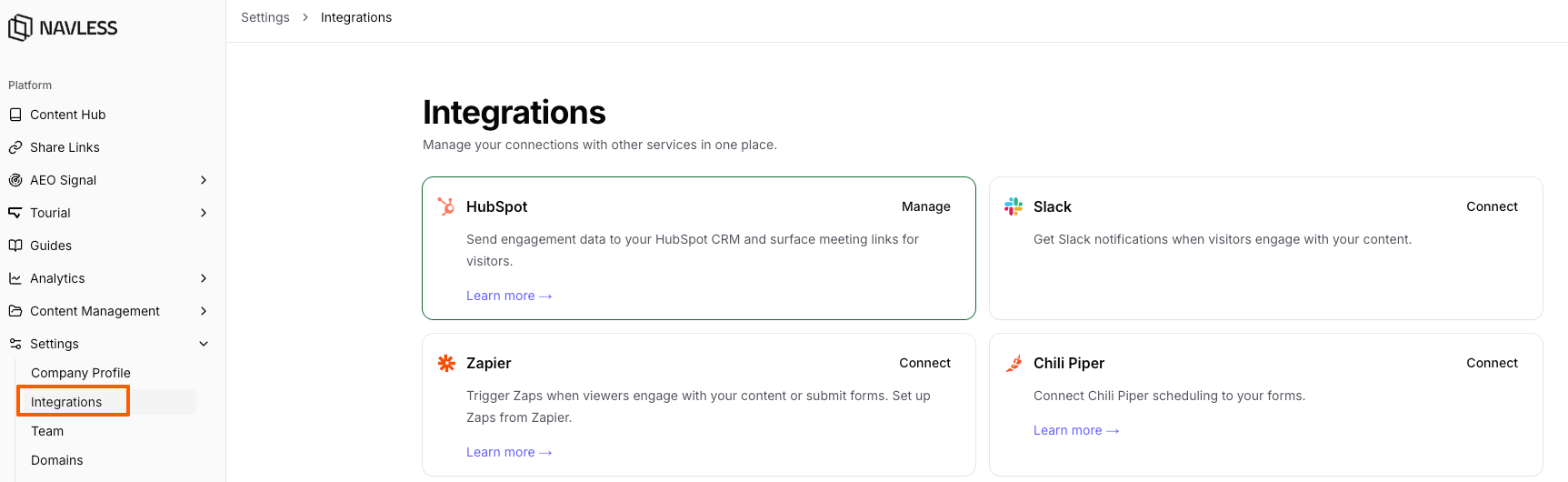
* Your HubSpot account must be connected to Navless and **Engagement Activity** must be on. See [Set up the HubSpot integration](/integrations/map-crm-integrations/hubspot.md).
* HubSpot's tracking script must be installed on the pages where your Guides are embedded. This is what links anonymous Guide activity to a contact once that visitor becomes known. Most teams already have it.
* Visitors must have given functional cookie consent. Navless does not send data for visitors who declined.
***
### How Guide engagement data flows into HubSpot
Guide engagement data is matched to contacts using HubSpot cookies. Once your account is connected and Engagement Activity is on, Guide activity is recorded for any cookied visitor - even before they are a known contact.
For data to be sent for a given session, all three of the following must be true:
* Your HubSpot account is connected to Navless and **Engagement Activity** is on
* The visitor has given functional cookie consent
* The visitor has a HubSpot tracking cookie on their browser, or a known email address captured during the Guide
⚠️ **Important:** Make sure HubSpot's tracking script is installed on the site that hosts your Guides. The cookie it sets is what links anonymous Guide engagement to a contact record once that visitor becomes known.
Data is sent **once per session, when the session ends.** See [How does Navless identify "known" vs. anonymous visitors?](https://claude.ai/chat/a98513ff-c433-4e7b-9429-6f77d8e9e8c5#faqs) below for how anonymous visitors and retroactive matching work.
***
### Contact record activity feed
A **Guide Session** timeline event is created on the contact each time they complete a session with one of your Guides. In the activity feed it appears as:
> *Engaged with the **\** guide at \*
Expanding the event shows the details below, grouped into Engagement, Visitor Intent, and Session Metadata.
⚠️ **Important:** Not seeing Guide activity on a contact record? On the contact's activity feed, click **Filter activity** and make sure **Navless** is selected under **Integrations**.
#### Engagement
How the visitor interacted with the Guide during this session.
| Field | What it means |
| -------------------------------------- | ------------------------------------------------------------------------------------------------------------------------------------------------------- |
| **Guide: Engaged Time (Seconds)** | Active, hands-on time the visitor spent in the Guide this session. Idle time is excluded, so this reflects true engagement rather than a tab left open. |
| **Guide: Session Duration (Seconds)** | Total elapsed time of the session, from start to the visitor's last activity. Includes idle gaps. |
| **Guide: Prompts Sent** | Number of questions or prompts the visitor sent to the Guide. |
| **Guide: Skills Executed** | Number of interactive skills the Guide ran for the visitor (for example, generating a tailored summary or comparison). |
| **Guide: Skill Results Shared** | Number of times the visitor shared a result the Guide produced. |
| **Guide: Skill Results Downloaded** | Number of times the visitor downloaded a result the Guide produced. |
| **Guide: Content Opened** | Number of content items the visitor opened during the session. |
| **Guide: Content View Time (Seconds)** | Total time the visitor spent viewing the content they opened. |
| **Guide: Content Viewed** | The titles of the content items the visitor opened this session. |
| **Guide: CTAs Surfaced** | Number of calls-to-action the Guide presented to the visitor. |
| **Guide: CTAs Clicked** | Number of CTAs the visitor opened or clicked. |
| **Guide: CTAs Submitted** | Number of CTA forms the visitor submitted. |
| **Guide: Email Captured** | Whether the visitor's email was captured during this session (`true` / `false`). |
| **Guide: Email Capture Method** | How the email was captured — by **magic link** or by **form**. |
| **Guide: Bounced** | Whether the session was a bounce — the visitor left without meaningful engagement. |
#### Visitor intent
The first-party intent Navless learned from the visitor's conversation with the Guide. These reflect what the visitor told the Guide about themselves and what they are looking for — not inferred or third-party data. The most recent value for each field also persists on the contact record as a property (see [Contact properties](https://claude.ai/chat/a98513ff-c433-4e7b-9429-6f77d8e9e8c5#contact-properties) below).
| Field | What it means |
| ----------------------------- | ------------------------------------------------------------------------------------------------------ |
| **Guide: Role** | The visitor's role or persona, as understood from the conversation (for example, "Marketing Manager"). |
| **Guide: Intent** | What the visitor is trying to accomplish, as understood from the conversation. |
| **Guide: Topics of Interest** | The pain points and use cases the visitor raised while talking to the Guide. |
| **Guide: Profile Signals** | Firmographic context gathered from the conversation — industry, company size, and maturity. |
#### Session metadata & attribution
Identifiers and campaign context for the session.
| Field | What it means |
| ------------------------ | ---------------------------------------------------------- |
| **Guide: Name** | Name of the Guide the visitor engaged with. |
| **Guide: Page URL** | The page where the Guide was viewed. |
| **Guide: Date Viewed** | When the session took place. |
| **Guide: Country** | The visitor's country, derived from their IP address. |
| **Guide: Referrer Host** | The website domain that referred the visitor to the Guide. |
| **Guide: Session ID** | Navless's unique identifier for this session. |
| **Guide: ID** | Navless's unique identifier for the Guide. |
| **Guide: Visitor ID** | Navless's unique identifier for the visitor. |
| **utm\_source** | Campaign source captured from the Guide's landing URL. |
| **utm\_medium** | Campaign medium captured from the Guide's landing URL. |
| **utm\_campaign** | Campaign name captured from the Guide's landing URL. |
***
### Contact properties (for lists, workflows, reporting, and lead scoring)
In addition to the per-session timeline event, Navless writes a set of **lifetime rollup properties** directly to the contact record. These accumulate across every Guide session a contact has had, which makes them ideal for segmentation, workflow triggers, reporting, and lead scoring.
When building a list, workflow, or report, these are available as standard contact properties:
| Property | What it means |
| ---------------------------------------------- | -------------------------------------------------------------------------------------- |
| **Guide: Total Sessions** | Total number of Guide sessions this contact has completed. |
| **Guide: First Session Date** | The date of the contact's first Guide session. |
| **Guide: Last Session Date** | The date of the contact's most recent Guide session. |
| **Guide: Last Guide Viewed** | The name of the most recent Guide the contact viewed. |
| **Guide: All Guides Viewed** | The names of every Guide this contact has viewed. |
| **Guide: Total Unique Guides Viewed** | The number of distinct Guides the contact has viewed. |
| **Guide: Total Engaged Seconds on All Guides** | Lifetime engaged time across all of the contact's Guide sessions. |
| **Guide: Total Prompts on All Guides** | Lifetime number of prompts the contact has sent across all Guide sessions. |
| **Guide: Role** | The contact's most recently understood role. |
| **Guide: Intent** | The contact's most recently understood intent. |
| **Guide: Topics of Interest** | The pain points and use cases the contact has raised across their Guide conversations. |
| **Guide: Profile Signals** | The contact's most recent firmographic signals — industry, company size, and maturity. |
| **Guide: Visitor ID** | The Navless visitor identifier, useful for joining Navless data to this contact. |
NOTE: **Timeline event vs. contact property.** The timeline event is a point-in-time record of a single session, ideal for the activity feed and time-based reporting. The contact properties above are always-current rollups, use them to build lists, trigger workflows, and feed lead-scoring models.
***
### How anonymous visitors are handled
Navless tracks every cookied visitor, even before they become a known contact. If a visitor engages with a Guide without submitting a form, their session is tracked against the HubSpot cookie.
When that visitor later submits a form and becomes a HubSpot contact, all of their earlier Guide sessions are retroactively attached to the new contact record, full engagement detail, intent signals, and campaign attribution included. This works as long as the HubSpot cookie was present and the visitor did not clear their cookies.
If a visitor never becomes a known contact, their sessions stay linked to the cookie until they do.
***
### FAQs
#### How does Navless identify "known" vs. anonymous visitors?
Navless uses HubSpot cookies. If a cookie is already tied to a known contact, the Guide session is attached to that contact. If not, the activity is still tracked against the cookie so it can be attached later if and when that visitor becomes known, typically via a form submission.
#### Is Guide engagement data retroactive for visitors who are not yet in HubSpot?
Yes. If a cookied but anonymous visitor engages with a Guide and later becomes a contact, for example, by submitting a form, their earlier Guide engagement is associated with the new contact record, as long as the HubSpot cookie was present and the visitor did not clear their cookies.
#### What happens if a visitor declines cookies?
No data is sent. Navless fully respects the visitor's consent choice. Guide engagement data is only sent when the visitor has given functional cookie consent.
#### How often is Guide engagement data sent to HubSpot?
Once per session, when the session ends. The lifetime contact properties are updated with each new session.
#### What is the difference between Engaged Time and Session Duration?
**Engaged Time** counts only active, hands-on interaction and excludes idle periods, it is the best measure of real engagement. **Session Duration** is the total elapsed time from the start of the session to the last activity, including idle gaps.
#### Where do Role, Intent, Topics of Interest, and Profile Signals come from?
These are first-party signals drawn from the visitor's own conversation with the Guide, what they shared about their role, goals, pain points, use cases, and company. They are not purchased or inferred from third-party data.
#### How do I turn Guide engagement data on or off?
Use the **Engagement Activity** toggle on your [HubSpot settings page](/integrations/map-crm-integrations/hubspot.md). Turning Engagement Activity off stops all Guide engagement data from being sent to HubSpot.
#### Does Navless store personal information?
Navless passes any lead data captured in a Guide (such as an email submitted through a form) to HubSpot, where it is stored. Navless does not store that PII itself.
***
**What's next?**
* [Set up the HubSpot integration](/integrations/map-crm-integrations/hubspot.md)
* [Trigger HubSpot workflows from engagement data](/integrations/map-crm-integrations/hubspot/tour-engagement-data/triggering-hubspot-workflows.md)
* [Send Slack notifications from HubSpot](/integrations/map-crm-integrations/hubspot/tour-engagement-data/slack-notifications-with-hubspot.md)
* [Set up HubSpot reporting](/integrations/map-crm-integrations/hubspot/hubspot-reporting-setup.md)
If you have questions about Guide engagement data in HubSpot, reach out using the chat in the lower-right corner or email .
---
# Agent Instructions
This documentation is published with GitBook. GitBook is the documentation platform designed so that both humans and AI agents can read, navigate, and reason over technical content effectively. Learn more at gitbook.com.
## Querying This Documentation
If you need additional information that is not directly available in this page, you can query the documentation dynamically by asking a question.
Perform an HTTP GET request on the current page URL with the `ask` query parameter, and the optional `goal` query parameter:
```
GET https://docs.navless.ai/integrations/map-crm-integrations/hubspot/guide-engagement-data-in-hubspot.md?ask=&goal=
```
`ask` is the immediate question: it should be specific, self-contained, and written in natural language.
`goal` is optional and describes the broader end goal you are ultimately trying to accomplish on behalf of the user. GitBook uses it to tailor the answer towards what is most useful for that goal.
The response will contain a direct answer to the question and relevant excerpts and sources from the documentation.
Use this mechanism when the answer is not explicitly present in the current page, you need clarification or additional context, or you want to retrieve related documentation sections.